
Pets aren't particularly interested in helping you take a good photo.
A dog looks away just as you press the shutter. A cat walks towards the phone until its face fills the entire frame. And the moment you finally get the composition right, whatever they were doing suddenly stops.
That's also what makes photographing pets interesting.
Instead of trying to make them behave like portrait subjects, you'll usually get better results by working around the way they naturally move, play and react to what's around them.
Your smartphone is actually well suited to this because it's quick to reach for and much less intrusive than setting up a complicated camera system.
Here are a few things that can make a noticeable difference.

Get Down to Their Level
One of the easiest ways to change a pet photograph is simply to change your own height.
Most everyday pet photos are taken while the person is standing.
That means we're constantly looking down at dogs and cats from roughly the same angle.
Try crouching or sitting on the floor instead.
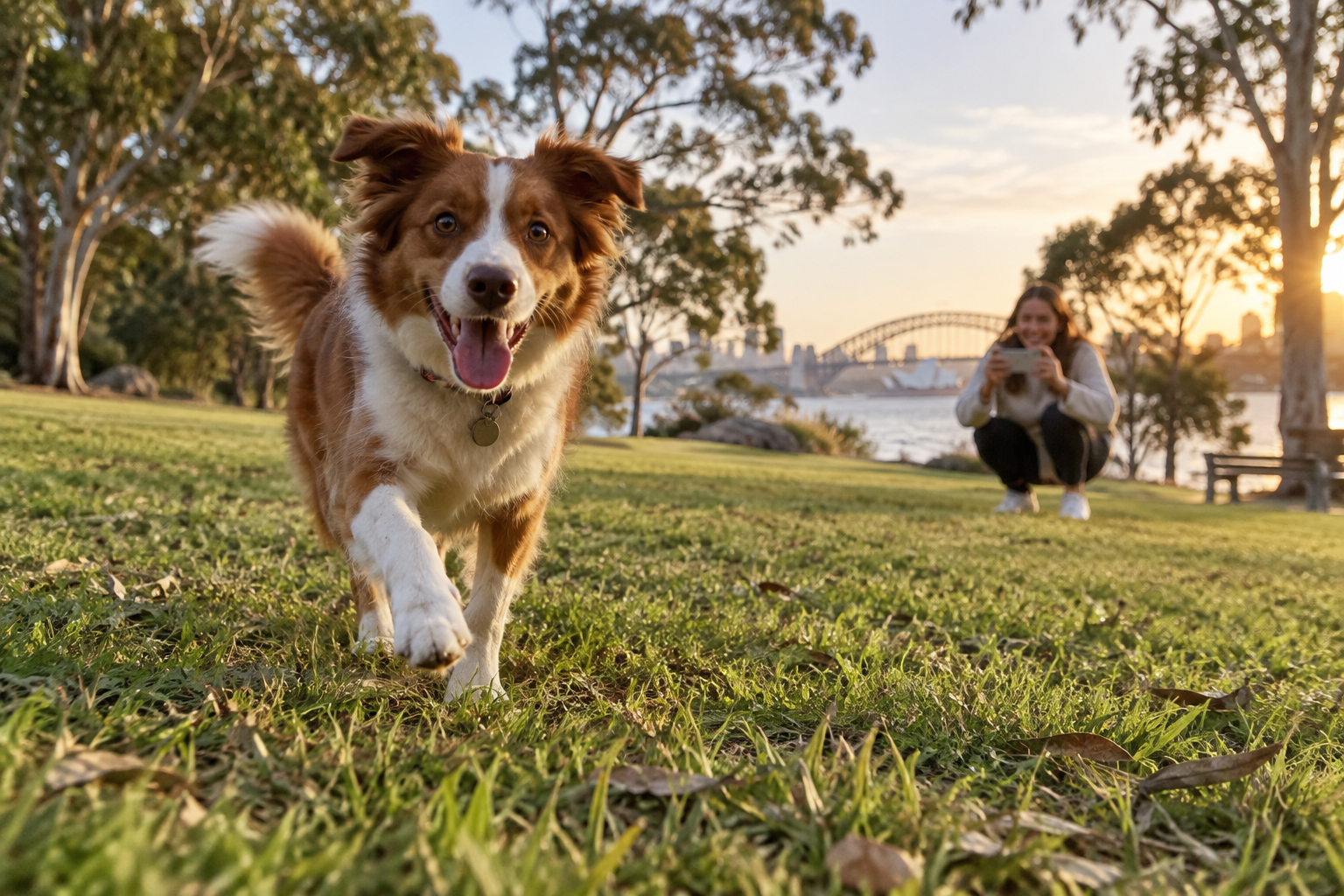
When the smartphone is closer to the animal's eye level, the photograph immediately feels more connected to the subject. You also start seeing more of the environment behind them instead of mostly seeing the floor.
This works particularly well outdoors.
A dog photographed from standing height might be surrounded by grass. Drop the phone close to the ground and suddenly the trees, sky or distant landscape become part of the image.

Focus on the Eyes
If the eyes are visible, they are usually the first place you want to check for focus.
Tap around the pet's face or eye on your smartphone screen before taking the photograph.
This matters particularly when you're close to the animal. The nose may be closer to the camera than the eyes, and automatic focus doesn't always choose the part of the face you intended.
With a moving pet, don't spend too long trying to create a perfect focus point. If your phone supports subject tracking or animal detection, it can be useful for keeping focus on the pet while it moves through the frame.
Don't Wait for Your Pet to Pose
Some of the best pet photographs happen between the photographs you were planning to take.
A dog shaking water from its coat.
A cat watching something through a window.
A puppy carrying something it probably shouldn't have.
Those moments often say much more about the animal than a perfectly centred photograph of it sitting still.
Keep the phone ready when something is happening rather than repeatedly calling your pet's name and trying to make it stare directly at the camera.
If your phone offers burst shooting, use it when the movement is unpredictable. You can choose the strongest frame afterwards instead of trying to predict the exact fraction of a second when everything will line up.
Leave Space for a Moving Pet
If a dog is running from left to right, avoid placing its face right against the right edge of the frame.
Leave some space in the direction it's moving.
This gives the photograph somewhere to go visually and often makes movement feel more natural.
The same idea works for video.
Instead of constantly trying to keep the animal exactly in the centre, anticipate where it's heading and compose slightly ahead of it.
Try a Wider Shot Before You Zoom In
When a pet is moving quickly, a very tight composition becomes difficult to maintain.
Start slightly wider.
It's much easier to keep the animal inside the frame, and the surrounding environment can help tell the story.
A dog running along a beach, for example, doesn't necessarily need to fill the screen. The sand, water and open space are part of the moment.
You can always crop slightly afterwards if necessary.
Heavy digital zoom, on the other hand, can make camera movement more obvious and reduce image quality—especially in weaker light.
Window Light Is Excellent for Indoor Pet Photos
Indoor pet photography becomes difficult surprisingly quickly.
Your eyes adjust to a dim room, but your smartphone still needs enough light to capture movement cleanly.
Instead of immediately turning on every ceiling light, look for a large window.
If your cat naturally sits beside one, you've already got a useful photography location.
Soft window light can reveal fur texture and facial detail without the harsh appearance that direct phone flash often creates.
Try positioning yourself so the window light comes from the side or slightly in front of the pet rather than directly behind it.

Be Careful With Phone Flash
Direct flash isn't usually the first thing I'd reach for when photographing a pet.
A bright light coming from almost exactly the same direction as the camera can flatten fur texture, create harsh shadows and sometimes produce distracting reflections from the eyes.
It can also interrupt the natural moment you're trying to photograph.
Whenever possible, use daylight or existing room light first.
If you regularly photograph indoors and genuinely need additional light, a small adjustable LED gives you more control over the direction and intensity than the phone's built-in flash. You can browse ROODTUO's smartphone lighting options for portable setups.
Keep the light comfortable for the animal and avoid shining an unnecessarily bright source directly into its eyes.
Watch Exposure With Black and White Fur
Very dark and very light animals can confuse automatic exposure.
With a black dog, your smartphone may brighten the scene aggressively because so much of the subject is dark. With a white dog in sunlight, bright fur can lose texture if the image becomes overexposed.
After tapping the pet on screen, look at the fur rather than only looking at the overall brightness of the photograph.
If white fur has turned into a featureless bright patch, lower the exposure slightly.
If a dark pet has lost all visible fur detail, try changing your position so more useful light reaches the animal before simply making the entire image brighter.
For Video, Follow the Action Instead of Chasing It
Pet videos can become difficult to watch when the phone reacts to every tiny change of direction.
Imagine filming a dog running around a park.
If you whip the phone left, right, left and right every time the dog changes direction, the viewer ends up watching the camera movement rather than the dog.
Try anticipating the action.
If the dog is running towards another person, frame that area and allow the dog to enter it.
If it's repeatedly chasing a ball along the same path, choose a position where you can capture that path without constantly spinning around.
Sometimes letting the pet briefly leave the centre of the frame looks better than desperately trying to follow every movement.
Try Slow Motion for Very Fast Movement
Some pet movements happen too quickly to appreciate at normal speed.
A dog catching a ball, jumping into water or shaking itself dry can look completely different in slow motion.
If your smartphone has a slow-motion mode, try using it outdoors where there's plenty of light.
Slow-motion recording generally needs more light than ordinary video, so bright outdoor conditions tend to produce better results than a dim living room.
Don't record everything in slow motion. Save it for moments where slowing the action actually reveals something interesting.
Include the Small Details
You don't need the pet's face in every shot.
Especially if you're creating a short video, detail shots can make the sequence feel much richer.
Try capturing:
- Paws walking across grass or sand
- A collar and tag moving as the dog walks
- A tail wagging
- A favourite toy
- Wet footprints
- Fur moving in the wind
- A nose investigating something just outside the frame
These shots work well between wider clips and help you show the experience rather than simply recording the animal continuously.
Want a Photo of Yourself With Your Pet?
This is one situation where a tripod and remote shutter become genuinely useful.
Set the phone farther away, compose the scene before you enter it and give yourself enough space so you don't have to sit in one exact position.
A Bluetooth remote can be easier than repeatedly running back to the phone to start a timer. The ROODTUO T01 1.8M Extendable Tripod, for example, includes a detachable Bluetooth remote for compatible smartphones.
Don't worry if your pet isn't looking directly at the camera.
A photograph of you interacting naturally with them can often feel much better than one where both of you are staring straight ahead waiting for the timer.
A Simple Pet Video Sequence to Try
Next time you take your dog to the park or spend some time playing with your cat, try recording a handful of short clips instead of one long video.
- Start with a wide shot showing where you are.
- Get down low for an eye-level shot.
- Capture the pet moving through the scene.
- Record a close detail such as paws, fur or a favourite toy.
- Try one slow-motion moment if the light is suitable.
- Finish with a quieter moment after the activity.
Put those clips together and you'll usually have a more interesting memory than a single two-minute recording where the camera follows the pet everywhere.
Final Thoughts
Good pet photography isn't really about getting an animal to cooperate with the camera.
It's about paying attention to what they already do.
Change your height. Watch the light. Give moving animals room inside the frame and keep the phone ready for the moments that happen between the poses.
The photograph where your dog looks perfectly at the camera might be nice.
But years from now, the one where it's muddy, carrying its favourite toy and completely ignoring you might be the photograph that actually feels like them.
Share:
How to Make Stop-Motion Videos With Your Smartphone