
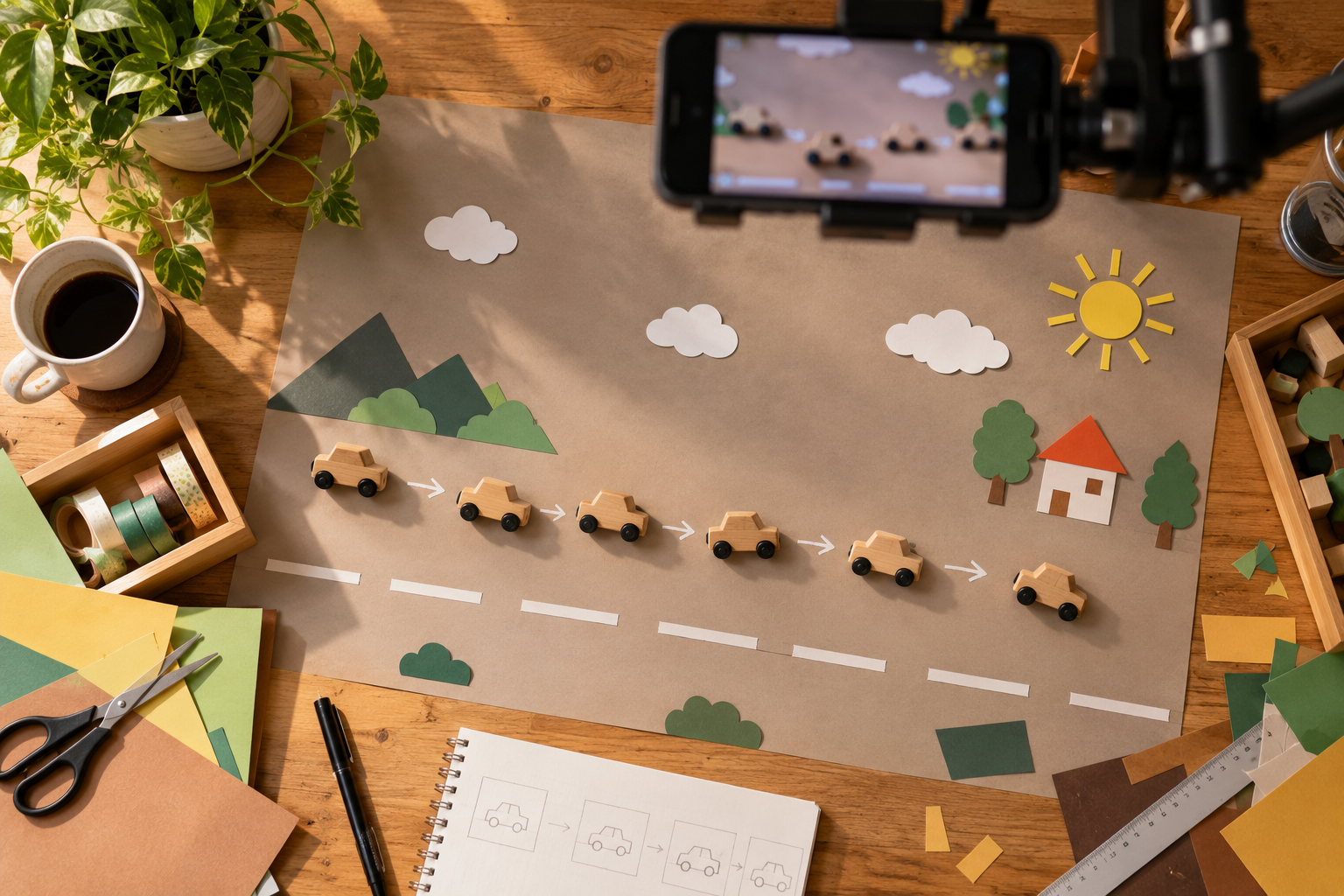
Put a coffee cup on a table and it doesn't do much.
Move it a few centimetres, take a photo, move it again, take another photo—and suddenly that same cup can slide across the table by itself.
That's the basic idea behind stop motion.
Unlike ordinary video, you aren't recording movement as it happens. You're building the movement yourself, one frame at a time.
It can be as simple as making a few objects move around a desk or as elaborate as creating an entire miniature scene. And because the individual frames can be captured with a smartphone, it's one of those creative techniques you can experiment with almost anywhere.

Stop Motion and Time-Lapse Aren't the Same Thing
They can look similar because both compress a sequence of events into a short video, but the way they're created is quite different.
With a time-lapse, you leave the camera recording while something changes naturally over time: clouds move, daylight fades or people pass through a space.
With stop motion, you control the change yourself.
Move the object.
Capture a frame.
Move it again.
Capture another.
When those frames are played quickly one after another, your brain connects them and sees movement.
Start With One Very Simple Movement
Your first stop-motion video doesn't need a story, miniature characters or an elaborate set.
Start with one object.
For example, place a pair of sunglasses on a table and make them travel from one side of the frame to the other.
Take a frame, move them slightly and repeat.
That's enough to understand how the technique works.

The smaller the movement between each frame, the smoother the final motion generally appears.
Large jumps create a more abrupt, playful effect. Neither is necessarily wrong—they simply create different styles.
The Smartphone Must Stay in Exactly the Same Place
This is probably the most important part of the entire process.
If the phone moves slightly every time you touch the scene, the background will jump around when the frames are played back.
Handholding the phone is therefore difficult for stop motion.
Mount it somewhere stable before you begin.
A normal tripod works well for front-facing or angled compositions. For tabletop scenes, an overhead position can be especially useful because it keeps the workspace open while the camera looks directly down at the action.
If your table has a suitable edge, a mounting arm can provide another way to position the camera above or beside the workspace. The ROODTUO LCH3 Flexible Arm Clamp uses a desk-style clamp and a 60cm adjustable arm with a standard 1/4-inch connection, allowing compatible phone holders to be positioned away from the table surface.
For conventional fixed positions, you can also browse the ROODTUO Tripods & Stands collection.

Try Not to Touch the Phone Between Frames
Even when the phone is mounted securely, repeatedly pressing the shutter can introduce small movements.
If the app you're using supports a timer, remote shutter or another hands-free capture method, use it.
The goal is simple: once you're happy with the composition, the camera should become the one thing in the scene that doesn't change.
Some smartphone tripods also include remote shooting options. For example, the ROODTUO T01 1.8M Extendable Tripod includes a Bluetooth remote, which can be useful when you want to trigger compatible smartphone camera functions without reaching for the phone itself.
Mark Important Positions Before You Start
Stop-motion scenes can become surprisingly confusing after 20 or 30 frames.
Where was the object originally?
How far did you move it last time?
Was that plate slightly farther to the left?
Small removable markers outside the visible frame can help.
You can also take a reference photo before beginning.
This becomes even more useful when several objects are moving at the same time.
Keep the Lighting Consistent
Imagine creating 60 frames beside a window.
Halfway through, a cloud moves across the sun.
The next ten photographs suddenly become darker. Then the sun returns and everything becomes bright again.
Played back as animation, that change can look like flickering.
Natural window light can still work for a quick stop-motion sequence, particularly when conditions are stable. But for longer projects, consistent artificial lighting gives you more control.
Also watch your own body. If you're standing between the light and the table while moving objects, your shadow may appear in some frames and disappear in others.

Lock Focus and Exposure When Possible
Automatic smartphone cameras are constantly trying to help.
Normally that's useful.
In stop motion, it can become distracting.
If the object changes position, the phone may refocus or adjust the brightness between frames. When everything is played together, those tiny adjustments can become visible.
If your camera or stop-motion app allows it, keep focus and exposure consistent once the scene is set.
It's also worth avoiding a setup where an object repeatedly moves extremely close to and far away from the camera unless that focus change is intentional.
Think About the Path, Not Just the Destination
Suppose you want a toy car to travel from the left side of the table to the right.
The beginning and ending positions are easy.
But the interesting part is what happens between them.
Instead of moving it in a perfectly straight line, it could:
- Curve around another object
- Stop briefly
- Reverse direction
- Rotate before continuing
- Move towards the camera
- Disappear behind something and emerge somewhere else
Stop motion lets you create movement that would be difficult—or impossible—to capture as ordinary video.

Objects Can Appear From Nowhere
One of the easiest stop-motion tricks is making something appear piece by piece.
Imagine an empty plate.
Add one ingredient and capture a frame.
Add another.
Then another.
When played quickly, the finished meal seems to assemble itself.
You can use the same idea with:
- Flat-lay arrangements
- Gift wrapping
- Desk setups
- Product packaging
- LEGO or building blocks
- Craft projects
- Flowers
- Collections of small objects
This is often easier than trying to animate one complicated object.
Try Making Something Disappear
The reverse works too.
Start with the completed scene and remove one element at a time.
A full desk can clear itself.
A plate of food can disappear bite by bite.
A packed bag can unpack itself.
And because you're controlling each individual frame, you don't need complicated visual effects.

Use Your Hands Deliberately
Your hands don't always need to disappear from a stop-motion video.
Sometimes including them makes the sequence more interesting.
A hand might enter the frame, place an object and disappear.
Or the hand itself could move in stop motion, changing position slightly between frames.
The important thing is consistency.
If your hand appears accidentally in only two frames because you didn't move away quickly enough, it looks like a mistake. If it appears deliberately as part of the sequence, it becomes part of the animation.
How Many Frames Do You Need?
You don't need hundreds of photographs to make your first stop-motion clip.
Suppose you create 36 frames.
Played at six frames per second, that gives you roughly six seconds of animation.
Played faster, the movement becomes quicker and usually smoother. Played slower, individual jumps become more noticeable.
For a first attempt, it's often better to create a short sequence that you can actually finish.
Five good seconds will teach you more than planning a two-minute animation and giving up halfway through.
Use an App That Lets You Preview the Previous Frame
Dedicated stop-motion apps can make the process much easier than capturing dozens of unrelated photographs in your normal camera app.
One particularly useful feature is often called an onion-skin or frame-overlay view.
It displays the previous frame faintly over the current camera view, helping you see exactly how far an object has moved.
This makes small, consistent movements much easier to judge.
When choosing an app, look for basic controls such as frame rate, exposure/focus locking, frame deletion and sequence preview rather than choosing purely on the number of effects available.
Don't Make Every Movement the Same Speed
Here's where stop motion starts becoming much more interesting.
If an object moves exactly the same distance between every frame, it travels at a constant speed.
But real movement rarely behaves like that.
To make an object appear to accelerate, start with very small movements between frames and gradually increase the distance.
To make it slow down, do the opposite.
This simple change can make an inanimate object feel surprisingly alive.
Try These Stop-Motion Ideas at Home
You don't need special props. Look around your house and choose something simple.
- Breakfast assembling itself — start with an empty table and add each item frame by frame.
- Shoes walking without anyone wearing them — alternate their positions gradually across the floor.
- A bag packing itself — move each item towards the bag before making it disappear inside.
- Desk transformation — begin with an empty desk and build the entire setup.
- Fruit moving into a pattern — use colour and shape to create a simple visual sequence.
- A drawing appearing by itself — add a small amount between each frame.
- LEGO construction — photograph the model growing piece by piece.
- A product unboxing itself — reverse the usual unboxing idea and let the packaging appear to open without hands.

Common Stop-Motion Mistakes
- Moving the camera: The background jumps even though only the subject was supposed to move.
- Changing the light: Different brightness between frames creates distracting flicker.
- Moving the object too far: Large gaps can make movement look excessively jumpy.
- Starting too complicated: Several moving objects quickly become difficult to track.
- Letting autofocus change: Focus shifts become very obvious during playback.
- Accidental shadows: Your hands or body can alter the light while you're adjusting the scene.
- Forgetting continuity: Objects that aren't supposed to move sometimes get bumped between frames.
Final Thoughts
Stop motion changes the way you think about smartphone video.
Instead of waiting for an interesting moment to happen in front of the camera, you create the moment yourself.
Start small.
Lock the phone in position, choose one object and move it a little at a time.
Once you've seen a completely ordinary object suddenly move across the screen by itself, you'll understand why people can spend hours experimenting with this technique.
And the next time you're looking at a desk full of ordinary objects, you may start wondering what they could do when nobody is watching.
Share:
How to Photograph Reflective Objects With a Smartphone