
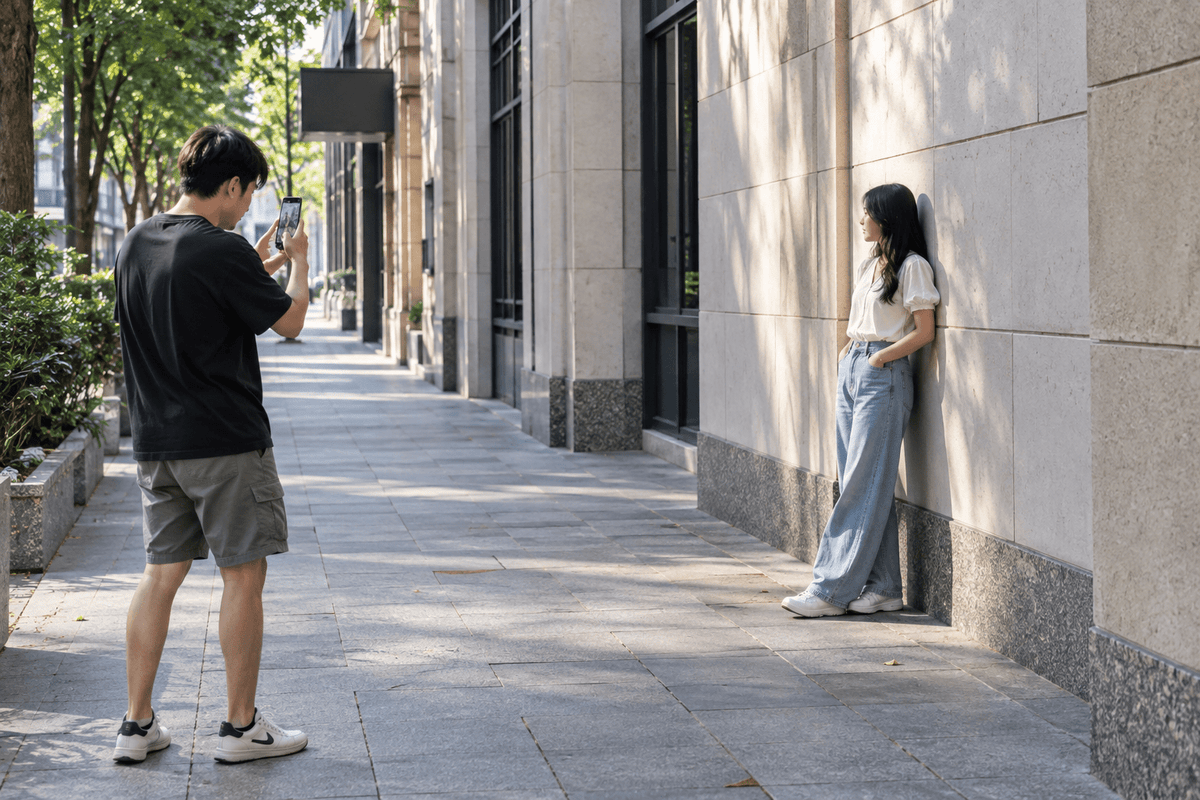
There's a person standing about six metres away.
You want them larger in the photo.
You have two obvious choices.
Tap 2x.
Or walk closer.
Either way, the person gets bigger in the frame. So are those two things basically the same?
Not quite.
This is one of the easiest smartphone photography experiments to try, because you don't need any special equipment. You only need one subject, a little space and a phone with more than one zoom option.
Once you compare the results side by side, you'll start noticing why photographers sometimes move backwards before zooming in—and why stepping closer isn't always a replacement for changing cameras.

Start With a Very Simple Experiment
Find a person, bicycle, parked car or another subject that isn't going to move for a minute.
Take the first photo at 1x.
Without moving your feet, switch to 2x and take another.
Now return to 1x and physically walk towards the subject until it appears roughly the same size in the frame as it did in your 2x photo.
Take the third photo.
You'll now have two photographs where the subject may be a similar size—but the photographs themselves won't necessarily feel the same.
1x to 2x Without Moving: Your View Gets Tighter
If you remain in exactly the same position and switch from 1x to 2x, you're capturing a narrower view of the scene.
You see less around the subject.
A building that occupied a small part of the 1x photograph may suddenly become a much stronger part of the background.
Objects near the edges disappear from the frame.
The photograph feels tighter and more concentrated.
Depending on your smartphone, 2x may come from a dedicated camera, a crop from a higher-resolution sensor or a combination of optical and computational processing.
That means image quality at 2x isn't identical across every phone.
Walking Closer Changes Something Else
Now go back to 1x and walk towards the subject.
The subject becomes larger again—but this time you've changed the camera's physical position.
That matters.
As you move closer, the relative distances between the camera, subject and background change.
Objects close to the camera can begin to feel larger compared with objects farther away.
You may see more of the sides of nearby objects. The relationship between the subject and background changes. Lines may appear to spread apart more strongly.
This is perspective.
Zoom Doesn't Create Perspective by Itself
This is the part that's easy to misunderstand.
People often talk about a camera lens “compressing” a face or background.
But perspective is fundamentally tied to where the camera is positioned relative to the things in the scene.
If you take a 1x photograph and a 2x photograph from exactly the same physical position, then crop the 1x image to match the 2x framing, the underlying perspective relationship is the same.
What changes dramatically is perspective when you move the phone.
That's why comparing “2x from farther away” with “1x from very close” can produce such different-looking photographs.
Faces Make the Difference Easy to See
Try the experiment with a person.
Stand reasonably close and photograph their face at 1x.
Then step farther away and use 2x to make their face approximately the same size in the frame.
The second photograph often feels different.
When you're very close, the nose is noticeably closer to the camera than the ears. That distance difference can make nearer facial features appear more prominent.
Move farther away and the difference between those distances becomes proportionally smaller.
The face can appear flatter and the background may seem more substantial behind the person.
That's one reason stepping right up to someone's face with an ultra-wide or wide camera often doesn't produce the portrait you expected.

So Is 2x Better for Portraits?
Not automatically.
Sometimes you want the intimacy of being closer.
Sometimes you're photographing a person in their environment and want the surrounding room, street or landscape to remain important.
Other times you want a cleaner portrait with less of the environment included.
The useful lesson isn't “always use 2x for people.”
It's understanding that your distance from the person changes the photograph.
The Background Can Suddenly Feel Much Larger
Here's another experiment.
Put a person somewhere with a recognisable object far behind them—a building, tree, mountain or large sign works well.
Take a relatively close 1x photograph.
Then move considerably farther back and use a longer camera or zoom setting to keep the person roughly the same size in the frame.
In the second image, the distant background can appear much larger relative to the subject.
This is the look people often describe as background compression.
Again, the important part is that you changed your shooting distance to maintain the subject's size in the frame.
Sometimes You Should Just Walk Closer
There are plenty of situations where physically moving closer is the simplest option.
Maybe there's an interesting object on a table and the background doesn't matter.
Maybe you're photographing a detail and want a more immersive viewpoint.
Maybe your phone's 2x option is only a digital crop and the light isn't particularly good.
Moving closer lets the subject occupy more of the sensor's captured frame without relying as heavily on digital enlargement.
But check what happens to perspective as you move.
If the photograph starts to feel distorted or the background relationship becomes less interesting, take a step back again.
Sometimes You Can't Move Closer
“Just use your feet” is common photography advice, but real life doesn't always cooperate.
You can't walk onto a sports field.
You can't move closer to an animal that will run away.
You may be standing behind a barrier at an event.
The interesting architectural detail may be several floors above you.
And moving closer to a mountain isn't going to solve much before sunset.
That's where a longer camera or zoom option becomes useful—not simply because it makes something bigger, but because it allows you to frame from the position you actually have.
1x Is Often Easier Indoors
Inside a room, physical space becomes a limitation.
You may not be able to step backwards enough to use a longer camera for the composition you want.
That's one reason 1x is so useful for everyday indoor photography.
It gives you a relatively broad field of view without the stronger edge stretching that can appear with an ultra-wide camera.
But watch the edges of the frame when photographing people.
Very close subjects positioned near the edge of a wide image can sometimes look stretched or unnatural.
2x Can Simplify a Messy Background
Suppose you're photographing a coffee cup on an outdoor table.
At 1x, the photograph includes half the café: chairs, another table, a doorway and someone walking past.
Move slightly farther back and use 2x.
Now the field of view is narrower. You can isolate the cup against a much smaller section of the background.
This doesn't magically blur everything behind it.
It simply gives you more control over what enters the frame.
That can be extremely useful in locations you can't clean up or rearrange.
What About 0.5x?
Ultra-wide makes this experiment even more obvious.
Switch to 0.5x and you can fit a huge amount into the photograph.
Then move very close to the subject so it fills the frame.
Anything close to the lens can become visually exaggerated while distant objects appear much smaller.
That's why ultra-wide works so well when you deliberately want a strong foreground and a large sense of depth.
It's also why photographing someone's face from extremely close range at 0.5x can produce a rather unusual portrait.
More Zoom Isn't Always More Detail
The numbers on a smartphone camera interface can be misleading if you assume every setting represents a separate optical camera.
Modern smartphones may switch between physical lenses, crop the main sensor or combine information computationally depending on the model, available light and selected magnification.
So don't assume that tapping a larger number automatically gives you more useful detail.
Look at the result.
If a high zoom setting produces soft textures and artificial-looking detail, a wider photograph that you crop modestly afterwards may sometimes look cleaner.
Low Light Can Change Which Option Works Best
At night or indoors, your smartphone may behave differently than it does outside in bright daylight.
A smaller telephoto camera may receive less light than the main camera, depending on the phone.
Some phones respond by using information from the main camera instead.
This is another reason not to treat 1x, 2x and 3x as universal quality settings.
They're framing options. The hardware and processing behind them varies.
Try It With a Product on a Table
You can test all of this at home.
Put something ordinary on a table—a pair of headphones, a coffee cup, a camera accessory or a shoe.
First photograph it relatively close at 1x.
Then move farther away and use 2x while keeping the product roughly the same size in the photograph.
Compare the background.
Compare the apparent shape of the product.
Look at how much of the tabletop you can see.
Look at the objects behind it.
The exercise becomes even more useful if you don't move anything except yourself.

External Lenses Give You Another Option
Your phone's built-in cameras aren't the only way to change the field of view.
External smartphone lenses can provide wider, macro or other optical effects depending on what you're trying to photograph.
They're particularly useful when you want to experiment beyond the built-in cameras without carrying a separate camera system.
You can explore ROODTUO's Phone Lens & Filter collection if you want to experiment with different mobile perspectives.
Try This Before Your Next Photo
When the subject looks too small, don't automatically tap the zoom button.
Ask yourself three questions:
- Can I safely move closer?
- Do I want the perspective to change?
- How much of the background do I actually want?
If you want a tighter frame without changing your position, switch cameras or zoom.
If you want to change the relationship between the camera, subject and background, move.
Sometimes the best result comes from doing both: move to the position that gives you the perspective you want, then choose the camera that gives you the framing you want.
Final Thoughts
1x and 2x aren't simply two versions of “near” and “far.”
And walking closer isn't just a free substitute for zoom.
Where you stand determines the perspective. The camera or zoom setting determines how much of that view you frame.
Once you separate those two ideas, choosing between 1x, 2x and moving your feet becomes much less random.
Next time you have a minute, take the same photograph all three ways.
Don't just decide which one looks better.
Look at what actually changed.
Share:
Camera Height Can Completely Change Your Smartphone Photos