
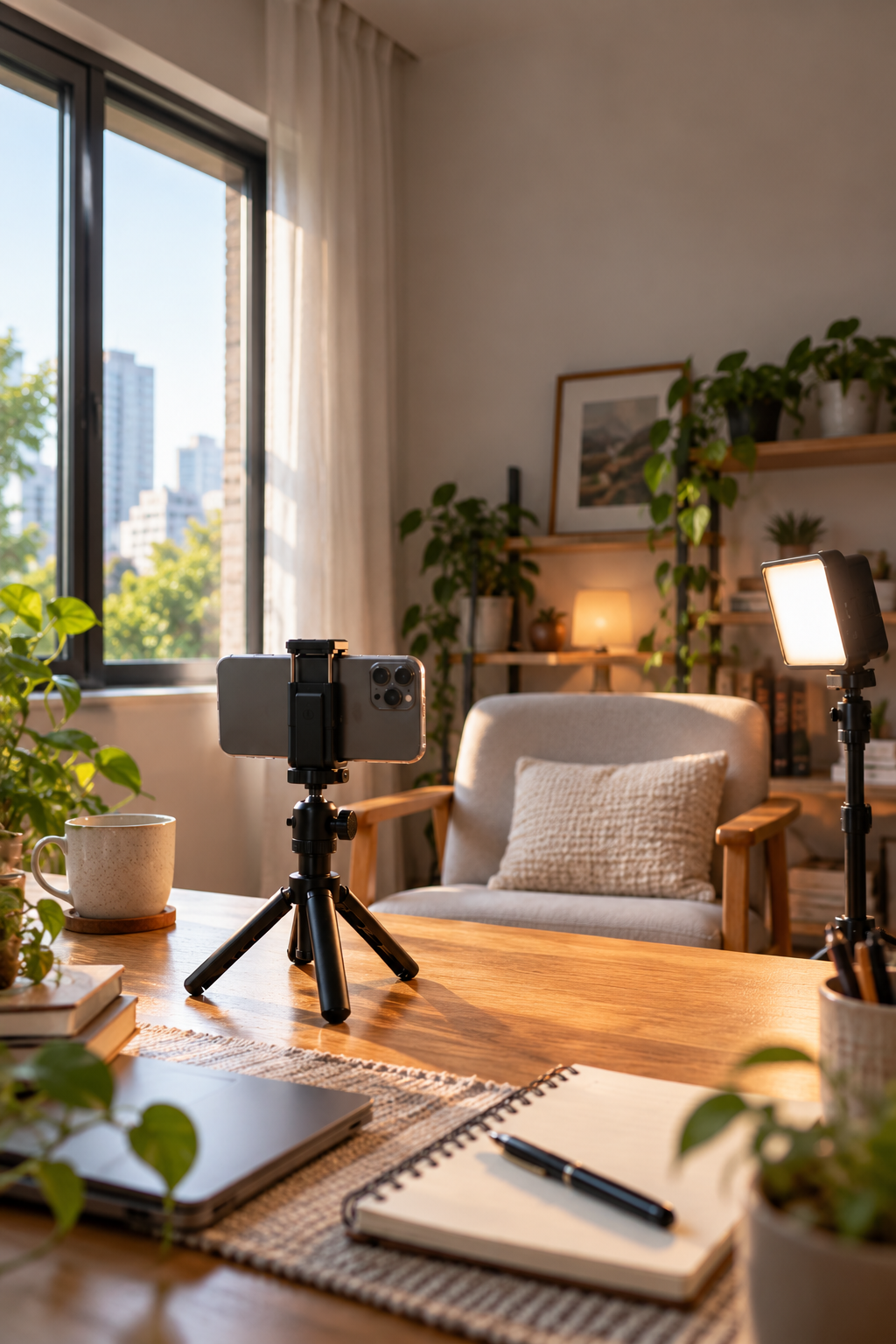
You've set up your phone to record a video at home. The room looks a little dark on the screen, so you switch on a small LED light.
Everything gets brighter.
But something isn't quite right.
Your face looks pale. There's a bright reflection on your forehead. The wall behind you has almost disappeared into darkness, and the video somehow feels less natural than it did before.
So you turn the light up again.
That usually isn't the answer.
Good smartphone video lighting isn't simply about getting as much light into the scene as possible. It's about deciding where the light should fall, how strong it should be and what you want the background to look like.
Sometimes adding a light helps enormously. Other times, moving the light you already have makes a much bigger difference.

More Brightness Can Make a Face Look Flatter
Imagine filming a short talking-head video at your desk.
You place a bright LED light directly beside the smartphone, pointing straight at your face.
At first, the result looks promising. Your face is easy to see and the camera has plenty of light to work with.
But the light also reduces many of the shadows that normally reveal the shape of your face.
The result can look flat, especially if the light is strong and close to the camera's direction.
Now move the light a little to one side.
One side of your face becomes slightly brighter than the other. Your nose, cheeks and jaw begin to show more shape.
You haven't added any extra light. You've changed its direction.
That's often the first adjustment worth trying.
A Small LED Can Be Surprisingly Harsh
Compact LED lights are useful because they're portable and easy to mount. But a small light source can produce relatively sharp shadows when it illuminates a subject directly.
You might notice a strong shadow under the nose, a hard line across the wall or an uncomfortable reflection on glasses.
Moving the light farther away can reduce the difference in brightness across a face, although it also makes the light dimmer and doesn't automatically soften the shadow edges.
For genuinely softer shadows, you generally need a larger apparent light source.
That might mean using a suitable diffuser, bouncing light from a neutral wall or using a larger light source.
If you bounce a light, make sure the surface is appropriate and that the light is positioned safely.
A white wall can sometimes do more for a natural-looking video than simply increasing the brightness of a small direct light.
The Background Matters as Much as the Face
Here's a situation that's easy to recognise.
You're filming yourself in a room at night. You place a bright light close to your face and expose the camera for your skin.
Your face looks clear, but everything behind you appears very dark.
That's not necessarily a problem. Sometimes you want a dark background.
But if you're recording a casual vlog or a video that should feel like a real room, the contrast can look unnatural.
Before turning up your main light, look at what's happening behind the subject.
Would leaving a practical lamp on in the background help? Could you move the subject closer to an existing source of ambient light? Would a lower LED brightness preserve more of the room's atmosphere?
Those changes can make the scene feel more balanced without flooding everything with light.
Window Light Is Often Enough
For daytime indoor videos, a window can be one of the most useful light sources available.
It can illuminate a large area and, depending on the weather and window conditions, produce relatively soft light.
Try placing the subject at an angle to the window rather than directly in front of it.
You'll often get a brighter side and a slightly darker side, which helps reveal facial shape.
If the window light is very strong, a sheer curtain may soften it.
And if the room already looks good, there's no reason to add an LED just because you own one.
The useful question is whether something in the scene actually needs correcting.
Fill the Shadow, Don't Replace the Whole Scene
This is where a compact fill light becomes genuinely useful.
Imagine you're recording a product demonstration beside a window.
The window illuminates the left side of the product, but the right side is so dark that important details disappear.
Instead of placing another strong light directly in front, try adding a small amount of light from the darker side.
The aim isn't to make both sides equally bright.
It's to reveal enough detail while keeping some natural contrast.
A portable light such as the ROODTUO WL62 Mini Pocket Bi-Color Fill Light offers adjustable brightness and colour modes, making it useful for experimenting with subtle fill in smaller setups.
Start with a low brightness setting and increase it only as needed.

Two Different Light Colours Can Make Skin Look Strange
Picture a typical home filming setup in the evening.
There's a warm ceiling light above you. A cool white LED is attached beside the phone. Perhaps some daylight is still coming through the window.
Each source has a different colour appearance.
The smartphone tries to choose a white balance that makes the overall scene look natural, but it cannot always make every differently lit surface neutral at the same time.
You might end up with a face that looks slightly blue on one side and orange on the other.
That isn't always a creative choice. Sometimes it's simply an awkward mixture of light sources.
Try turning off one of the competing lights and comparing the result.
If you're using an adjustable bi-colour LED, set its colour temperature to work with the main source as closely as practical.
For repeatable video recordings, locking white balance in a camera app that supports it can also prevent the colour from shifting unexpectedly during a take.
Reflections Can Reveal Exactly Where You Put the Light
Glasses, glossy packaging, polished metal and smartphone screens are particularly sensitive to lighting position.
A bright LED placed close to the camera may appear as a large distracting reflection.
Increasing brightness only makes that reflection stronger.
Instead, move the light sideways or change its angle.
Watch how the reflection moves across the surface.
Sometimes a small change in position is enough to move it away from the important part of the subject.
For product videos, this can be more useful than adding another light.
Don't Light Everything Equally
When filming a workspace, food preparation or a small product, it's tempting to illuminate every corner of the frame.
But if the subject and background are equally bright, the viewer may have difficulty knowing where to look.
A little contrast can help direct attention.
For example, a product on a table may stand out more clearly if the product receives the main light while the background remains slightly darker.
Similarly, a person talking to camera doesn't necessarily need every object on the shelf behind them to be perfectly illuminated.
Lighting is partly about deciding what deserves attention.
When a More Powerful Light Actually Helps
There are situations where a small pocket light simply isn't enough.
Maybe you're filming a larger subject. Maybe the light needs to be positioned farther away. Perhaps you're working in a room with very little ambient illumination.
A more capable adjustable light can give you additional flexibility.
For example, the ROODTUO W200RGB RGB Fill Light is another option for creators who want to explore adjustable lighting in their photography or video setups.
But a larger light doesn't remove the need to think about placement.
Even a powerful light can produce an unflattering result if it's pointed in the wrong direction.
Watch What Happens When the Subject Moves
Lighting can look excellent when someone sits still for a test frame.
Then they lean forward, turn their head or pick up a product.
Suddenly a shadow crosses their face or a bright reflection appears.
Before recording a longer video, ask the subject to make the movements they'll actually perform.
If they're demonstrating a product, let them pick it up and turn it around.
If they're talking to camera, have them move naturally while you watch the screen.
It's better to discover the problem during a ten-second test than halfway through a recording.
A Simple Experiment With One Light
You can learn a lot from one small LED and an ordinary object on a table.
Choose something with visible shape and texture, such as a ceramic cup, a pair of headphones or a small camera accessory.
Keep the phone and object in the same positions.
First, place the light close to the camera and point it towards the object.
Record a few seconds.
Then move the light to one side, without changing the phone position.
Record again.
Finally, lower the light's brightness or bounce it from a suitable neutral surface and make a third recording.
Compare the shadow edges, reflections, visible texture and background.
You'll probably find that the brightest version isn't automatically your favourite.

Sometimes the Best Adjustment Is Turning a Light Off
If a video looks unnatural, don't immediately reach for another piece of equipment.
Look at the existing light sources first.
Is a ceiling light creating unwanted shadows? Is a cool LED fighting with a warm lamp? Is the subject much brighter than the room behind them?
Try removing one light source and see what happens.
Then add back only what the scene needs.
Portable lighting is most useful when it gives you control, not when it makes everything as bright as possible.
What Good Lighting Should Do
For most everyday smartphone videos, good lighting should help the viewer see the subject clearly without drawing unnecessary attention to the equipment that created it.
That doesn't mean every video needs soft, even light. Strong shadows and unusual colours can work beautifully when they're intentional.
But if you're filming a straightforward conversation, product demonstration or home vlog, start with the light that's already available.
Move the subject. Change the angle. Check the background.
Then decide whether an additional light would genuinely improve the scene.
Sometimes it will.
And sometimes the better video is the one where you left the extra light switched off.
Share:
The Phone Clamp Matters More Than You Think