
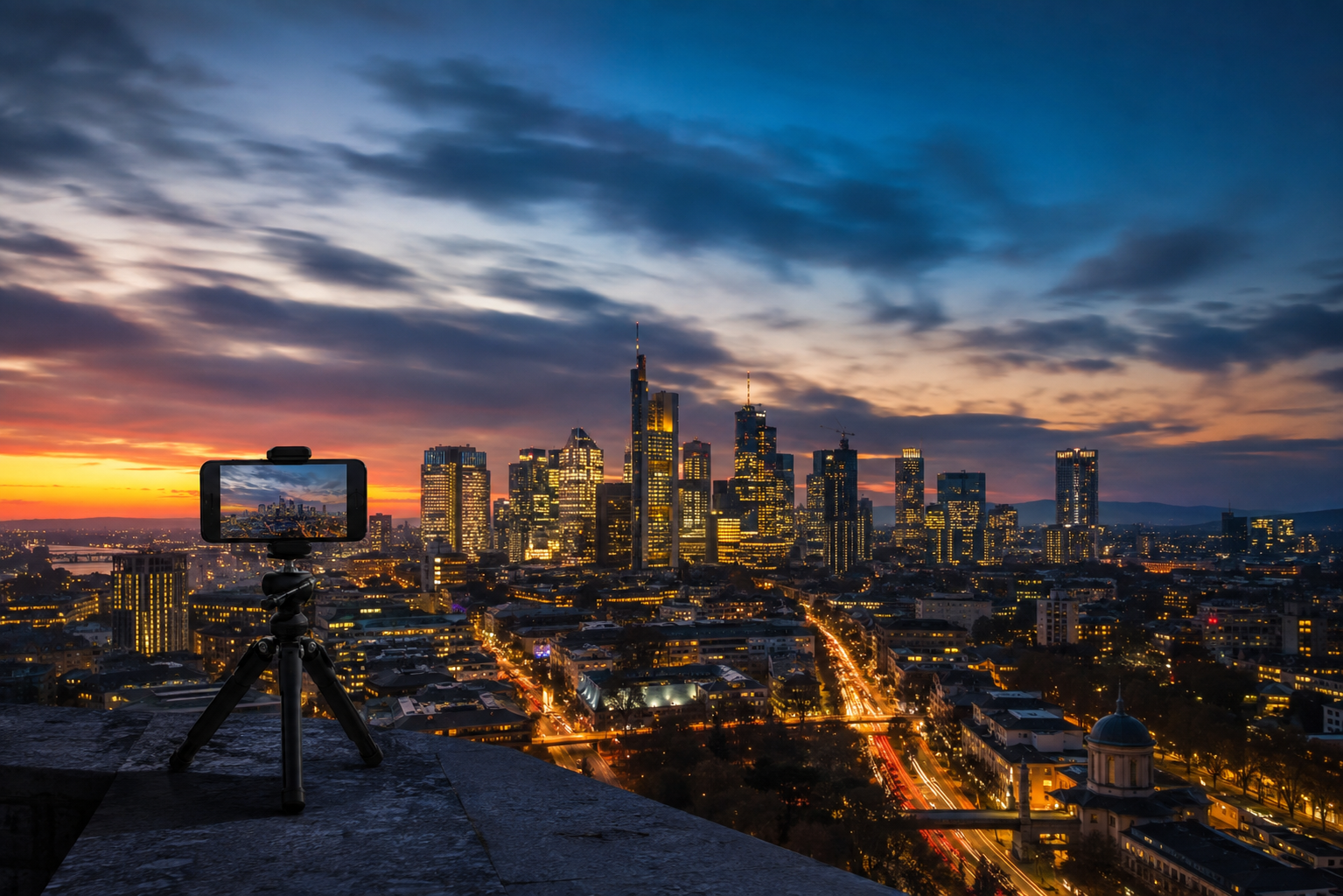
A sunset takes an hour. Clouds can drift across the sky all afternoon. Setting up a room might take half a day.
Watching any of these things happen in real time isn't particularly exciting. Compress them into a few seconds, however, and suddenly you can see changes that were almost invisible while they were happening.
That's what makes time-lapse video so interesting.
You don't need a dedicated camera to experiment with it either. Most modern smartphones already include a time-lapse mode, and with a stable position and a little planning, you can create surprisingly effective results.
Here are some practical ways to make your next smartphone time-lapse more interesting than simply pressing record and waiting.

What Does Time-Lapse Actually Do?
A normal video records enough frames every second to show movement at roughly the speed we experience it.
A time-lapse works differently. Instead of showing every moment continuously, it captures changes over a much longer period and compresses them into a short video.
That's why slow events suddenly become visible.
Clouds race across the sky. Shadows move across a building. A busy room fills and empties. A drawing appears to complete itself. Daylight disappears and city lights begin to glow.
The important question isn't simply, "What should I film?"
It's better to ask: What is going to change while the camera stays here?
Choose a Scene Where Something Will Actually Change
A time-lapse needs change.
If you point your phone at a scene where almost nothing happens, speeding it up won't suddenly make it interesting.
Look for movement or transformation:
- Clouds moving across a landscape
- A sunrise or sunset
- Traffic building during peak hour
- People moving through a station or public space
- A room being set up for an event
- A meal being prepared
- A drawing or craft project taking shape
- Products being packed or organised
- Changing light and shadows across a room
The best subjects often aren't dramatic at the beginning. Their appeal comes from seeing how much changes between the first frame and the last.

Find the Composition Before You Press Record
With an ordinary video, you can change the composition while you're filming.
A time-lapse is less forgiving.
Your phone might stay in exactly the same position for 20 minutes, an hour or even longer, so spend a little more time deciding what belongs in the frame before you start.
Look at the edges of the image. Check for distracting objects. Think about where the movement will happen rather than only where everything is right now.
If you're filming a sunset, for example, don't automatically place the sun in the middle of the frame. Consider what the foreground will look like as the light changes.
If you're recording traffic, look for a composition where vehicles move through the frame rather than simply towards the camera.
Keep the Smartphone Completely Still
Stability matters in almost every type of smartphone video, but it becomes especially important for time-lapse.
A small accidental movement halfway through a long recording can create an obvious jump in the final result.
For short experiments indoors, you can sometimes support the phone against a stable object. For longer recordings, a tripod is much more reliable.
A full-height tripod such as the ROODTUO T01 1.8M Extendable Tripod is useful when you need to position the phone above surrounding objects or adjust the shooting height, while a compact tripod can be easier for tables, windowsills and low-angle compositions.
You can also browse the ROODTUO Tripods & Stands collection for different fixed smartphone setups.
Once recording begins, avoid touching the phone unless you genuinely need to stop the time-lapse.

How Long Should You Record?
This is one of the first questions people ask about time-lapse, but there isn't one perfect recording length.
It depends on how quickly your subject is changing.
Moving pedestrians or busy traffic may produce noticeable change within a relatively short period. Clouds might need longer. A sunset requires enough time to show the transition in light. A creative project could take hours.
Instead of worrying too much about an exact formula, watch the scene before you start.
If you can already see meaningful change happening every few seconds, you may not need to record for very long. If the change is almost invisible, give the scene more time.
Don't Forget What Happens in the Foreground
It's easy to concentrate entirely on the sky during a sunset time-lapse.
But the foreground often makes the final video more interesting.
Imagine recording a city from late afternoon into evening.
The sky changes colour, but other things are happening too: traffic increases, street lights switch on, office windows begin glowing and pedestrians move through the scene.
Several layers of change happening at once can make a time-lapse much more satisfying to watch.

Watch Your Exposure During Sunsets
Sunsets are one of the most popular time-lapse subjects, but they're also one of the easiest to get wrong.
The brightness of the scene can change dramatically between the beginning and end of the recording.
If your phone allows you to control exposure before starting, pay attention to the brightest part of the sky. Starting with the image slightly darker can sometimes help preserve colour and detail around bright clouds and the setting sun.
Also avoid constantly touching the screen to correct brightness once the recording has started. Sudden exposure changes can become very noticeable when the footage is played back quickly.

Try Time-Lapse Indoors Too
Time-lapse doesn't have to mean clouds and city skylines.
Some of the most satisfying subjects are ordinary activities where something gradually takes shape.
Try recording:
- Preparing a complicated recipe
- Building or assembling something
- Drawing or painting
- Wrapping gifts
- Rearranging a room
- Setting up a workspace
- Packing for a trip
- Organising a collection
For these scenes, position the camera where viewers can clearly see the transformation without your body constantly blocking the frame.
An overhead angle can work well for smaller projects, while a wider corner angle is usually better when the entire room is changing.

People Can Make a Static Scene More Interesting
A building doesn't move. A café interior doesn't move much either.
But people moving through those spaces can completely change the result.
Try positioning your phone somewhere safe and recording a location where people naturally enter and leave the frame.
A station concourse, market, public square, café window or event space can all work well.
The architecture gives the image structure while human movement provides the change.
Just remember to respect local rules and other people's privacy when recording in public or private spaces.
Try a Low Angle
Most smartphone time-lapses are recorded from roughly chest height because that's where a tripod naturally ends up.
There's no reason you have to stay there.
Place the phone lower and you can make foreground movement much more prominent.
A low position beside a footpath can emphasise footsteps and shadows. Near a waterfront, it can make moving water dominate the frame. In the city, it can exaggerate reflections and vehicle movement.
Changing the camera height can make an ordinary time-lapse subject feel completely different.
What About Moving Time-Lapse?
Not every time-lapse has to remain completely static.
Some smartphones and camera apps offer modes designed to combine movement with accelerated time, sometimes referred to as hyperlapse.
The effect can be impressive when walking through a long corridor, market, trail or city street.
But moving time-lapse is less forgiving than a locked-off shot.
Walk steadily, keep your direction consistent and choose a clear visual destination ahead of you. Constantly turning the camera or changing direction can make the result difficult to follow.
If you're just starting, master a few static time-lapses first. They're much easier to plan and usually produce more consistent results.
Check Battery and Storage Before a Long Recording
A time-lapse might leave your phone recording continuously for much longer than an ordinary video clip.
Before starting a longer sequence:
- Check your battery level
- Make sure you have enough available storage
- Close unnecessary apps
- Reduce unnecessary screen brightness where appropriate
- Avoid leaving the phone in excessive heat or direct harsh sunlight for extended periods
There's nothing particularly satisfying about waiting 45 minutes for a sunset only to discover that your phone stopped recording halfway through.
8 Time-Lapse Ideas to Try With Your Smartphone
If you've never made one before, don't overcomplicate your first attempt. Pick something close to home and see what happens.
- Clouds before a weather change — find a wide view with some foreground detail.
- Sunset from a balcony or lookout — start before the colour becomes dramatic.
- Peak-hour traffic — use an elevated position where possible.
- A busy café or public space — keep the architecture fixed while people move through the frame.
- Cooking a meal — show the workspace gradually changing from ingredients to the finished dish.
- Drawing or making something — an overhead view can show the project appearing piece by piece.
- Setting up an event or room — start with the empty space and record until everything is ready.
- Day turning into night — look for a scene where artificial lights gradually become part of the image.
Common Time-Lapse Mistakes
- Choosing a scene with no change: Speeding up a static scene doesn't automatically make it interesting.
- Moving the phone halfway through: Even a small framing change can create an obvious jump.
- Starting too late: For sunsets and events, the transformation often begins before the most obvious moment.
- Ignoring the foreground: A strong foreground gives the viewer something stable to compare against the movement.
- Recording for too little time: Slow changes need enough real time to become visible when compressed.
- Forgetting battery: Longer recordings need a little more preparation than a normal 20-second clip.
Final Thoughts
A good time-lapse isn't really about making everything move quickly.
It's about showing change.
Find something that will look different 20 minutes, an hour or several hours from now. Build a composition around that change, keep the phone still and give the scene enough time to develop.
Once you start looking at everyday places this way, you'll notice potential time-lapse subjects everywhere—from clouds outside your window to the way a busy room changes over the course of an afternoon.
Sometimes the most interesting thing your smartphone can record is something that's happening too slowly to notice.
Share:
How to Film Your Child’s Sports Game With a Smartphone